Your shopping cart is empty!
Menu
- Home
- 3D Models Download
- Hardware
- Software
- Learn
- Upload

Become a Wittyer
Login/Sign up for a "Wittyer Profile" and upload your content with our easy-to-use tool.

Choose your licence
Choose the license that best represents your work between commercial or open source options. Check licences here

Monetize
For each download, you will receive up to 85% of the net selling price. Check our royalty options here
- Customizer3D






















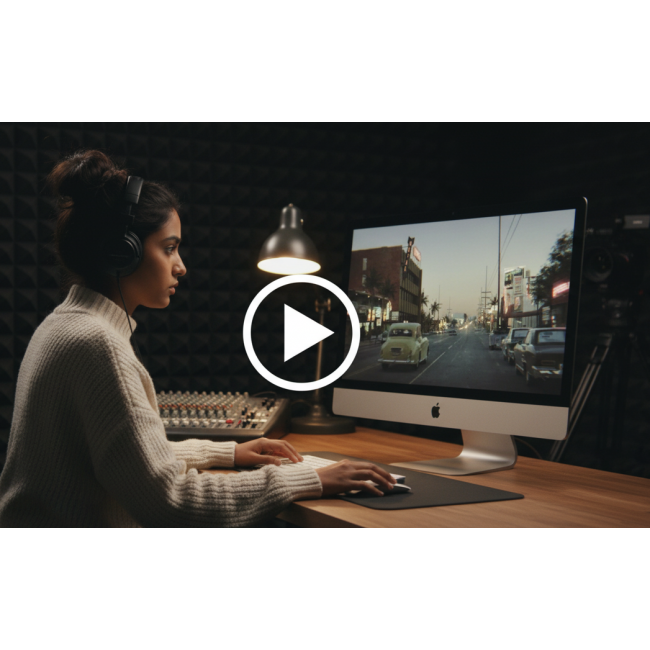

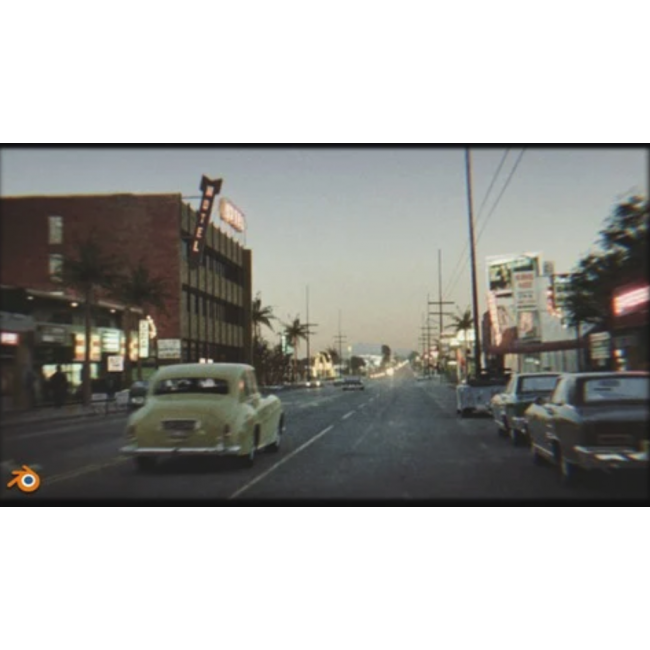
Blender City & Retro Car Course (2-in-1)


)


Blender City & Retro Car Course (2-in-1)
This course includes:
- 3 hours on-demand video
- 2 downloadable resources
- Access on mobile and TV
- Full lifetime access
- Certificate of completion
What You’ll Learn
- Introduction to the free 3D software Blender
- Basics and advanced techniques for modeling, texturing, lighting, rendering, and post-processing
- How to create two retro-style scenes with a car
- How to use reference images and textures to achieve realism faster
- Efficient workflow tips for creating realistic 3D scenes
Course Content
1 section • 18 lectures • 2h 50m total length
- Introduction – 01:44
- Scene 1: Creating Part 1 – 14:56
- Scene 1: Creating Part 2 – 13:14
- Scene 1: Creating Part 3 – 17:47
- Scene 1: Creating Part 4 – 08:27
- Scene 2 – F-Spy – 13:59
- Modeling Buildings – 11:31
- Modeling Buildings Part 2 – 13:42
- UV Project Modifier – 09:53
- Lighting and Cars – 08:29
- Asphalt Texture Upgrade – 12:06
- Bricks Texture Upgrade – 07:05
- Hotel Modeling – 05:06
- Shops, Trees, Poles – 08:34
- Motion Blur – 05:46
- Volumetrics & Car Reflection – 05:33
- Shadows & Compositor – 07:26
- Post-Processing – 05:34
Requirements
Free Blender software
No prior experience necessary
Course Description
Take a journey back in time with this step-by-step Blender course, where you will learn to create, render, and animate retro city streets with cars. This master tutorial includes two full scenes, each created using slightly different methods to help you understand both fast asset-based workflows and precise reference-based modeling.
- Scene 1: A stylized retro street using pre-existing assets to quickly achieve impressive results in about one hour.
- Scene 2: A realistic car street scene built entirely from a reference photo, transformed into a detailed 3D animation.
You’ll learn how to:
- Use reference photos to guide modeling and texturing
- Apply textures effectively to achieve realistic surfaces
- Utilize Blender’s modifiers, cameras, color correction, and compositor
- Work with lighting, motion blur, volumetrics, reflections, and shadows
The course also includes final .blend project files and two asset packs, so you can follow along and build your own professional-quality scenes.
This workflow reflects five years of hands-on experience in Blender, condensed into an easy-to-follow format that helps both beginners and intermediate users achieve realistic 3D results faster and more efficiently.
Who This Course Is For
- Beginners looking to learn Blender from scratch
- Intermediate users who want to improve workflow efficiency
- Anyone interested in 3D modeling, retro city scenes, and realistic car renderings
About the Course Author
Sime Bugarija is a 3D visualization artist and Blender instructor with several years of experience in film animation. He specializes in modeling, texturing, lighting, post-processing, and animation, helping students achieve highly realistic renders. Sime’s courses are step-by-step and designed for beginners, so anyone with no prior Blender experience can follow along and develop professional 3D skills.
Write a review
Your Name:Your Review: Note: HTML is not translated!
Rating: Bad Good
Enter the code in the box below:
Related Products (11)