Your shopping cart is empty!
Menu
- Home
- 3D Models Download
- Hardware
- Software
- Learn
- Upload

Become a Wittyer
Login/Sign up for a "Wittyer Profile" and upload your content with our easy-to-use tool.

Choose your licence
Choose the license that best represents your work between commercial or open source options. Check licences here

Monetize
For each download, you will receive up to 85% of the net selling price. Check our royalty options here
- Customizer3D






















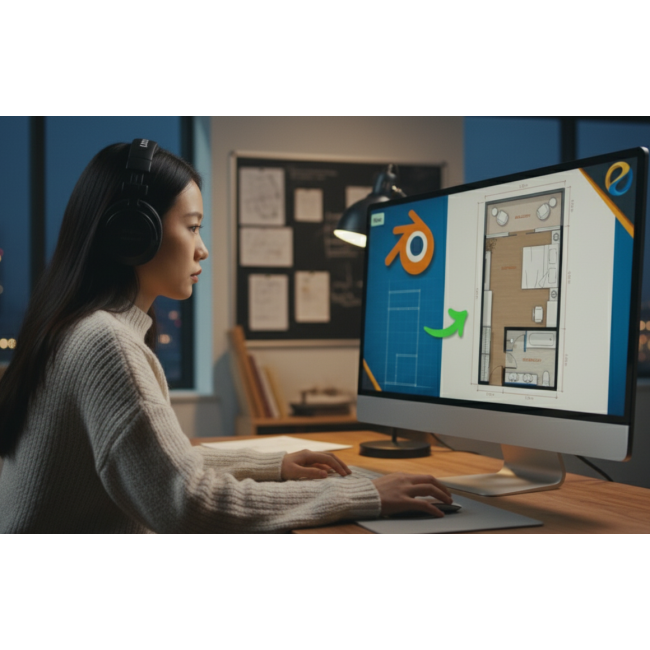

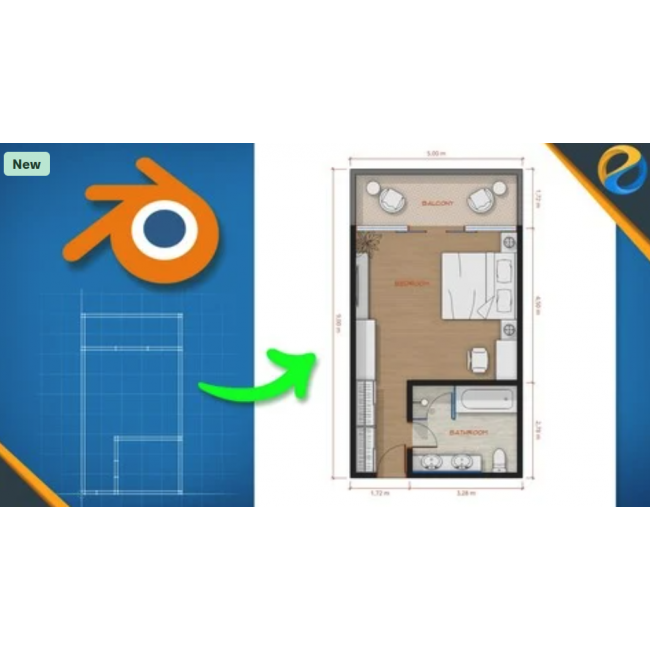
Design floor plans quickly and easily with Blender


Design Floor Plans Quickly and Easily with Blender - Video Course
What You’ll Learn
- Basic to advanced point-to-point 3D modeling techniques in Blender
- Efficient wall creation methods for floor plans and architectural design
- How to build and manage furniture blocks, from scratch or by importing DWG, DXF, and SVG files
- How to use Blender’s Asset Browser to organize assets and speed up design workflows
Explore Related Topics
Architectural design • Interior visualization • Floor plan creation • Blender modeling • Asset management • CAD integration
This Course Includes
- 3 hours and 51 minutes of on-demand video
- 5 sections • 29 lectures
- Lifetime access on mobile and TV
- Certificate of completion
Course Content
Introduction & Setup
- Introduction (04:09)
- Exercise Files and Conventions (06:19)
- Macro Overview (05:11)
- Preparations (07:58)
Modeling Fundamentals
- Point-to-Point Modeling (Basics to Advanced) – 3 lessons
- Creating Walls (Method 1 & 2) – 2 lessons
- Windows and Doors (09:16)
- Adding Depth and Color (10:03)
- Workbench Render Settings (03:33)
Texturing and Detailing
- UV Mapping and Texture (09:23)
- Creating Furniture Blocks: Wardrobe, Bed, Nightstands, Lamps
- Adding Surfaces, Tables, and Counters
- Creating Bathroom Fixtures using References
CAD Integration & Asset Workflow
- Importing CAD Drawings (DWG, DXF, SVG) – 3 parts
- Transferring Data Between Files
- Using the Asset Browser (Parts 1 & 2)
Presentation & Output
- Camera Settings and Labeling
- Adding Dimensions (11:10)
- Creating a Hand-Drawn Look with the Line Art Effect
Requirements
- A computer capable of running Blender
- A standard mouse with a scroll wheel
- A full-size keyboard with a numeric keypad
Course Description
Blender is one of the world’s most powerful free and open-source 3D software tools — widely used for animation, visualization, and design. But did you know it’s also perfect for creating beautiful architectural floor plans quickly and easily?
If you’re tired of using expensive software or subscription-based web apps for every floor plan, this course is your game changer. You’ll learn step-by-step how to design stylized, precise, and professional floor plans entirely inside Blender.
Throughout this training, instructor Widhi Muttaqien — founder of Expose Studio and veteran 3D artist with over 20 years of experience — will guide you through a practical workflow that combines speed, precision, and creativity. You’ll model walls, furniture, and details using point-to-point modeling, and import assets from CAD files for even faster setup.
You’ll also learn to use Blender’s Asset Browser to build your own library of reusable furniture, materials, and textures — enabling ultra-fast design iteration. Finally, you’ll create polished, stylized line-art renders that look hand-drawn yet are fully digital and editable.
This course is ideal for architects, interior designers, lecturers, and students who want a free, powerful alternative for designing floor plans without sacrificing precision or visual quality.
By the end, you’ll be able to produce professional, presentation-ready 2D and 3D floor plans that impress clients — all within Blender.
About the Instructor
Widhi Muttaqien, S.Kom, MMSI
Entrepreneur, educator, and CG industry veteran with over 20 years of experience.
Founder of Expose Academy, Expose Studio, and Edutalenta, Widhi has produced thousands of 3D renderings for architectural and design clients worldwide and has taught computer graphics academically since 2000.
Enroll now and make Blender your secret weapon in architecture and interior design.
Design faster, smarter, and more creatively — all with one powerful free tool.
Write a review
Your Name:Your Review: Note: HTML is not translated!
Rating: Bad Good
Enter the code in the box below:
Related Products (7)