
Your shopping cart is empty!
Menu
- Home
- 3D Models Download
- Hardware
- Software
- Learn
- Upload
Become a Wittyer
Login/Sign up for a "Wittyer Profile" and upload your content with our easy-to-use tool.
Choose your licence
Choose the license that best represents your work between commercial or open source options. Check licences here

Monetize
For each download, you will receive up to 85% of the net selling price. Check our royalty options here
- Customizer3D


















Blog Category
You may like
Categories
Filter Blogs By tag: 3D Design

09
May
Mastering Blender Materials and Textures: A Comprehensive Guide for 3D Designers
Learn how to create stunning 3D objects with realistic materials and textures using Blender. Our comprehensive guide covers all the essential tools and commands, from UV mapping and texture painting to material creation and node editing. Boost your 3D design skills and create beautiful visuals with Blender today.
10
Oct
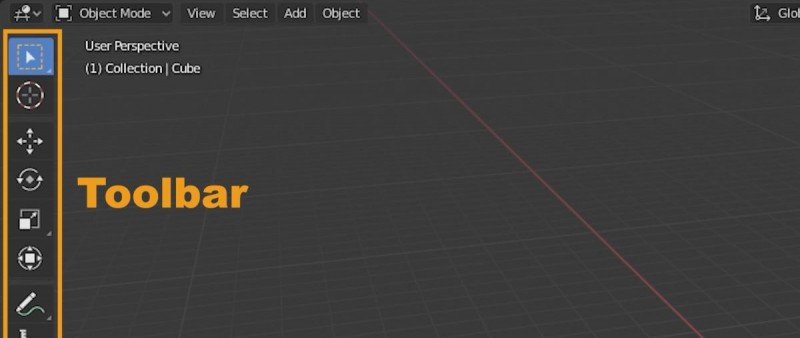
Toolbar arrangement in Blender 4.5
The toolbar in Blender is an essential component that houses a range of tools specific to each editor mode. Its strategic arrangement can greatly enhance workflow efficiency and make navigation more intuitive. In this article, we will delve into the various options for arranging the Blender toolbar and provide insights on choosing the optimal configuration based on your needs.

15
May
The Importance of the Splash Screen in Blender
Blender is a popular open-source 3D design software that has been used by professionals and enthusiasts alike for many years. The software has undergone several updates and improvements over time, with Blender 2.8 being one of the most significant updates in recent years. One of the most noticeable changes in Blender 2.8 is the redesigned splash screen that appears when launching the software. While the splash screen may seem like a minor element, it plays a critical role in setting the tone for the user experience. Discover why the Blender splash screen is more than just a visual element and how it impacts the user experience of the 3D design software.
05
Jun
How to Switch Tabs in Blender 3.5: Essential Tutorial to Navigate Interface Sections with Ease
Tabs are a fundamental element in Blender's user interface, allowing you to control overlapping sections and access different sets of tools and options. Understanding how to switch between tabs efficiently can greatly enhance your workflow. In this tutorial, we will explore the various methods to switch tabs in Blender 3.5, enabling you to navigate through different interface sections with ease. Tabs are a fundamental element in Blender 3.5's user interface, allowing you to control overlapping sections and access different sets of tools and options. Understanding how to switch between tabs efficiently can greatly enhance your workflow. In this tutorial, we will explore the various methods to switch tabs in Blender 3.5, enabling you to navigate through different interface sections with ease.
Showing 1 to 4 of 4 (1 Pages)

